Setting Up
I needed to start somewhere, right? How about starting three times, not sure if I’m starting in the right place or with the right stuff. First I started with AWS, thinking that’s where the best of the best go for their cloud provider. Eh, not so great because I was quickly overwhelmed and decided to do a little research, there had to be a lot of comments out there about where to start? And there was.
Azure. GCP. Digital Ocean. Oracle Cloud Infrastructure. Hetzner. And that’s not even mentioning all the others when I google a Cloud provider, I get inundated with ads for all the other cloud providers - for some reason, Akami was advertising a ton of credits. Anyways, I knew that I just wanted a simple VM that I could access easily and cheaply; I imagine all of these cloud providers give you all different levels of control so I really just wanted to focus on ease of use and low barrier of entry. I decided to jump into Digital Ocean because well… I played with Digital Ocean when in college and I saw on some reddit posts that they have a good UI. Great! Take #2 for spinning up a VM in the cloud.
Created an account. Read a little about the Digital Ocean verbiage (e.g., droplets). Decided to go with a classic Ubuntu installation on a Digital Ocean droplet. Found some good instructions. I’m ready to go!
please insert credit card information
Ugh! I just want a simple solution that’s zero dollars.
Back to square one.
Not terrible, there’s plenty of options and it’s not like I’ve wasted too much time. I decide to try out Google Cloud Platform because well…it’s Google. I’m sure they have good documentation, it’s user-friendly, and they probably have some type of free trial.
Take #3 is a GO. I found some documentation/instructions, logged into the Google Cloud Console, created an instance….and I was all set? I actually was a little surprised how easy and painless it was. They even provide an SSH shell in the browser that has built-in key sharing so it was pretty painless to connect to the machine.

Now I have my very own Ubuntu VM in the cloud and I can do what I actually wanted to do from the start: install an ELK stack and plug some data into it. But first, I knew that in order to view Kibana dashboards and such, I need some type of visual control over the VM (e.g., RDP) so figured that was easy enough, just need to install a desktop environment on the Ubuntu machine.
Easy enough: https://ubuntu.com/blog/launch-ubuntu-desktop-on-google-cloud. Ha! Now I’m reminded how soul-crushing it is to follow online guides for setting up infrastructure and writing code. If you’ve tried to follow any guide online for setting up infrastructure or read a stack overflow answer, you’ll know what I’m talking about.
I followed the instructions provided by Ubuntu that were pretty straightforward but I did have to go on two side quests: (1) Where’s the Frontend Dialog? (2) Stupid quotes.
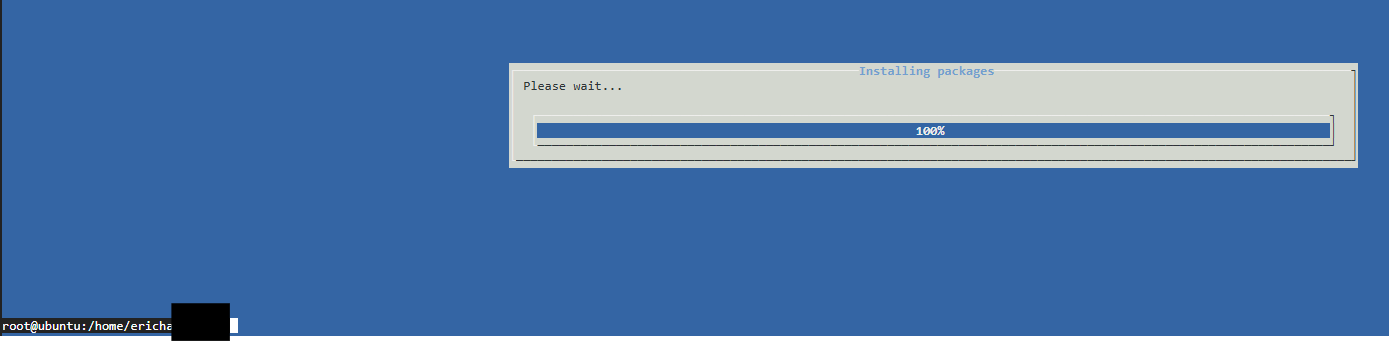
Side quests will come at another point, just like our favorite hobbits, side quests are quite annoying and challenging but useful for pushing the story along.
Some resources that were helpful:
https://www.digitalocean.com/community/tutorials/how-to-install-elasticsearch-logstash-and-kibana-elastic-stack-on-ubuntu-22-04