Side Quest: Where’s the Frontend Dialogue?
I’m a visual learner which makes the CLI even more difficult to “learn”; it’s quite often I learn to do something and it leaves my brain faster than it entered because the instructions were just something like:
run the following: bin/elasticsearch-setup-passwords interactive
Now…there’s nothing wrong with that because not only am I a visual learner, but I also prefer the straight-to-the-point type of instructions. It’s usually much quicker for me to just see the instructions, think about what’s actually happening here…and then do it.
When I embarked on the adventure of installing Elastic in my GCP VM, I knew it wasn’t going to be as straightforward as “apt-get install” and boom, we’re done. I figured there would be some waiting, troubleshooting, frustration, and some confusion. What I didn’t anticipate was confusion due to legitimately not knowing what was happening. Que the frontend dialogue, or lack thereof.
In my Setting Up post, I briefly wrote about starting with installing the Ubuntu desktop so that I can remote into it via Chrome Remote Desktop. During the installation process, I installed a group of packages using tasksel:
sudo tasksel install ubuntu-desktop
Pretty straightforward. However, since this is running a bunch of packages, it’s going to take a little while. Not a problem right? Well, as a visual learner, I need a lot of visual cues that things are working…or not. So when my terminal appears to freeze (aka: nothing is happening), I struggle to sit idle. I appreciate when installing something in the CLI, a little progress bar shows zero to a hundred percent:
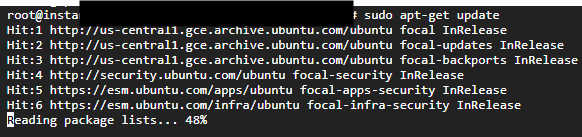
There’s a sense of comfort knowing that there’s progress visually happening in front of your eyes, seeing that the progress goes from 0% to 100%. There’s tons of tips and tricks online to make those progress bars even prettier with colors and fancy font (Fancy Apt Colors) but I just need something minimal. So when I was installing the ubuntu desktop and I was getting, what I would call, unhelpful 100% progress bars…I was confused. In the image below, you can see that we’re installing a few packages and the first one gets to 100% and then I’m not so sure what’s happening after that. It seems to hang and I’m not sure if something failed. I investigate further and see that debconf: unable to initialize frontend: Dialog. I learn that it’s not really a big deal because it’s just falling back to the Readline so I can assume there’s still progress. But that’s not good enough, maybe I can fix the frontend: Dialogue?

apt-get install dialog
Therefore, after some quick googling, I know that I can install the dialogue package:
Maybe that fixed it? I don’t receive any errors which is usually a good sign. So let’s try again and see if there’s visual progress with installing the ubuntu desktop:
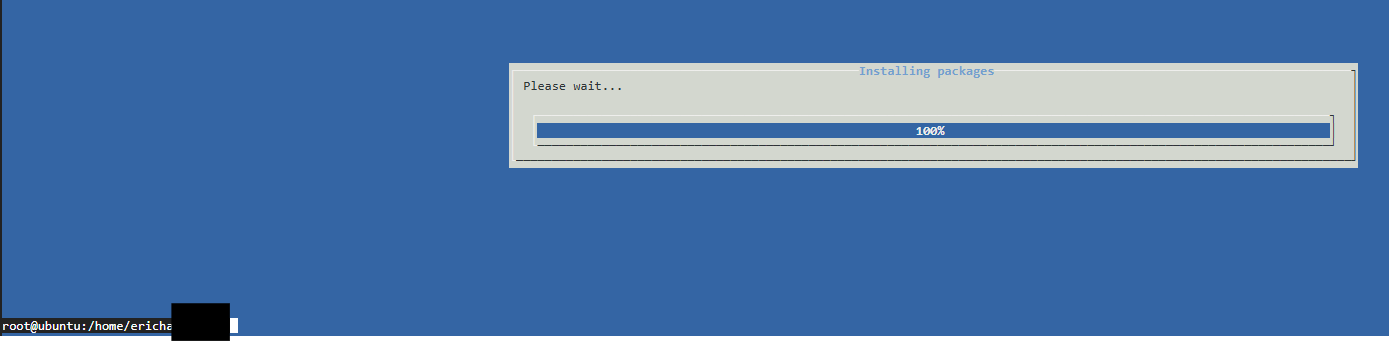
Success! Well technically nothing changed except my willingness to be patient but now that I have a visual progress bar (that’s a little prettier than I need but it works), I can proceed with the rest of the installation. Side Quest Complete!